ISO 5055 overview
Overview
The ISO-5055 View is a complete replacement layout for the Overview and Trends sections, built from data generated by the ISO-5055 Index extension. Four of its tiles measure your software against the characteristics of the ISO/IEC 5055 standard, and the rest give it context. Switch to it using the ISO-5055 View option in the Default View selector.
What the tiles need
These tiles are populated by the ISO-5055 Index extension. The extension must be installed for the application and a new snapshot generated before any data appears.
Where none of the applications have been analyzed with the extension, the ISO-5055 View option is not offered at all, at either portfolio or application level. The default view is shown instead.
The four characteristic tiles
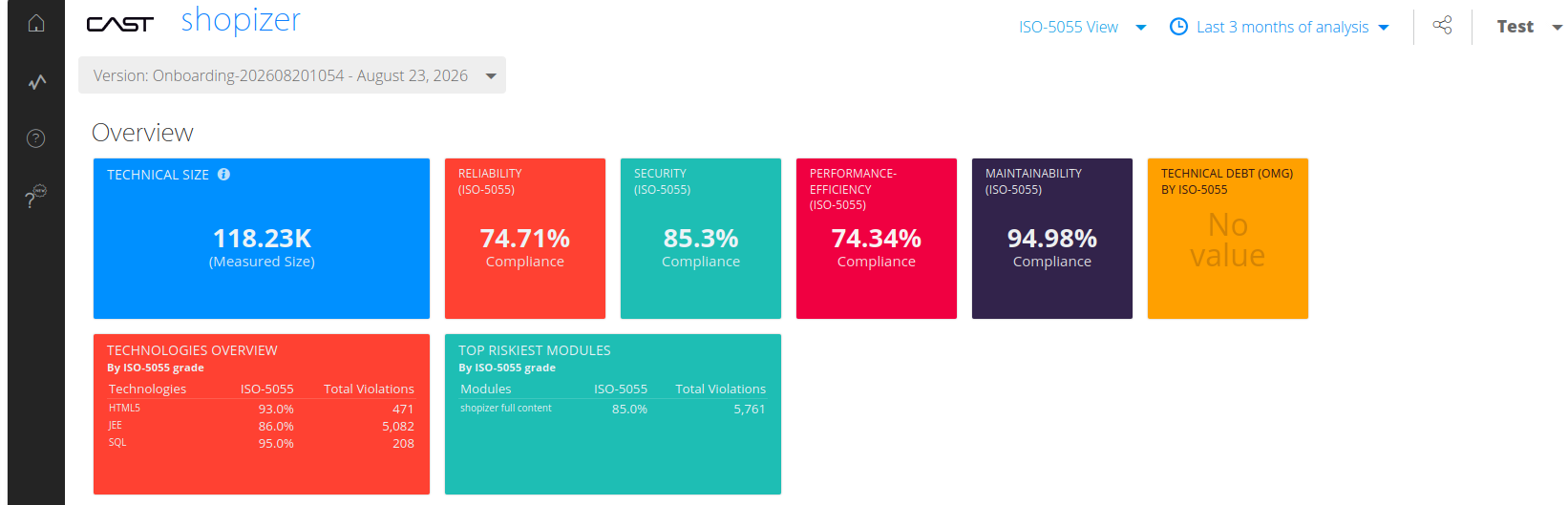
One tile is displayed per ISO 5055 characteristic:
| Tile | Measures |
|---|---|
| RELIABILITY (ISO-5055) | The reliability characteristic |
| SECURITY (ISO-5055) | The security characteristic |
| PERFORMANCE-EFFICIENCY (ISO-5055) | The performance efficiency characteristic |
| MAINTAINABILITY (ISO-5055) | The maintainability characteristic |
ISO 5055-INDEX is not a tile. It is the top-level business criterion that aggregates the four characteristics above, so it appears in the assessment model hierarchy rather than as a tile of its own.
What else the view carries
The four characteristic tiles sit alongside these:
| Tile | Shows | Level |
|---|---|---|
| Number of applications | How many applications are in scope | Portfolio |
| Technical Size | Application and measured size | Both |
| Technical Debt (OMG) by ISO-5055 | OMG technical debt in days, derived from the ISO-5055 index. Reads No value where the measure is not available | Both |
| Top 5 riskiest applications | Applications ranked by ISO-5055-SECURITY, with their total violations | Portfolio |
| Technologies Overview, Top riskiest modules | Technologies and modules ranked by ISO-5055, with their total violations | Application |
The ranking tiles count total violations here, not critical violations as their counterparts in the default view do.
The Automated Enhancement Point section is not part of the ISO-5055 View. Switch back to the default view to reach it.
At single-application level the tiles report against the selected snapshot:
At multi-application level, the same information is reported for all applications:
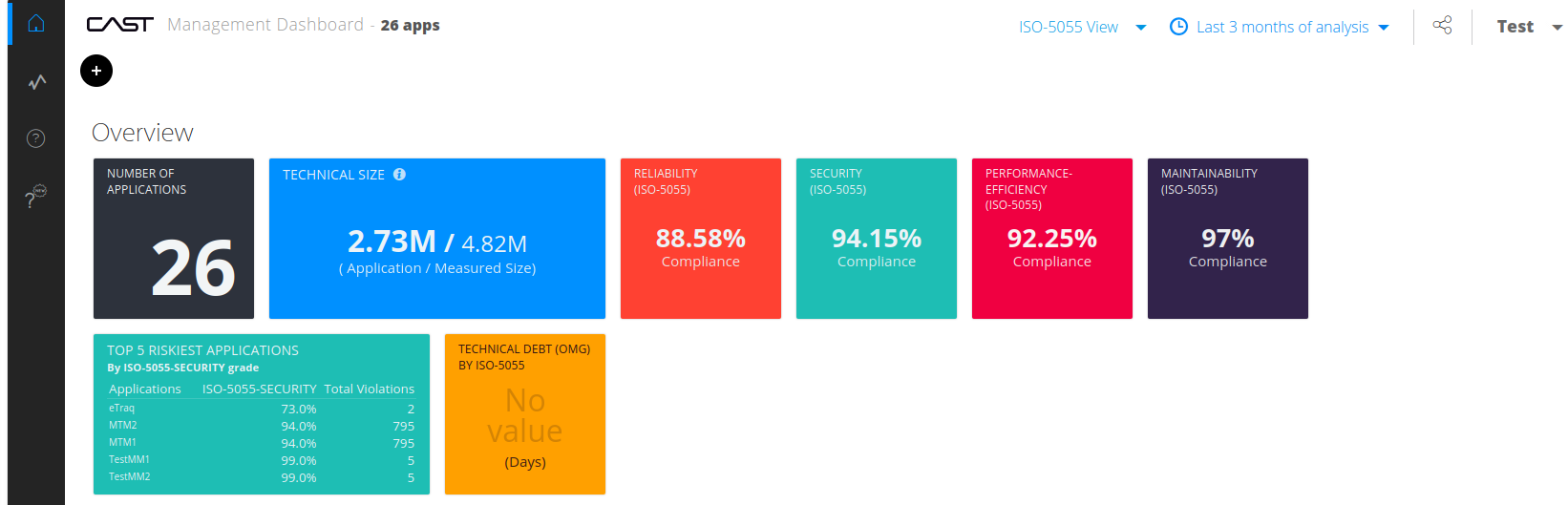
By default each tile shows compliance. An administrator can change the Mode to show a grade or a number of violations instead - see IndustryStandards.
The ISO-5055 View has its own pair of configuration files, separate from those behind the default view, so its layout can be changed independently - see The ISO-5055 views.
Drilling into a tile
Drill-down works the same way as the Health Measure tiles in the Overview section.
A tile showing N/A cannot be drilled into.
Single-application level
What you see depends on which extension produced the data:
- Applications analyzed with the ISO-5055 extension show ISO-5055 metrics.
- Applications analyzed with the older OMG-ASCQM extension show OMG-ASCQM metrics.
Multi-application level
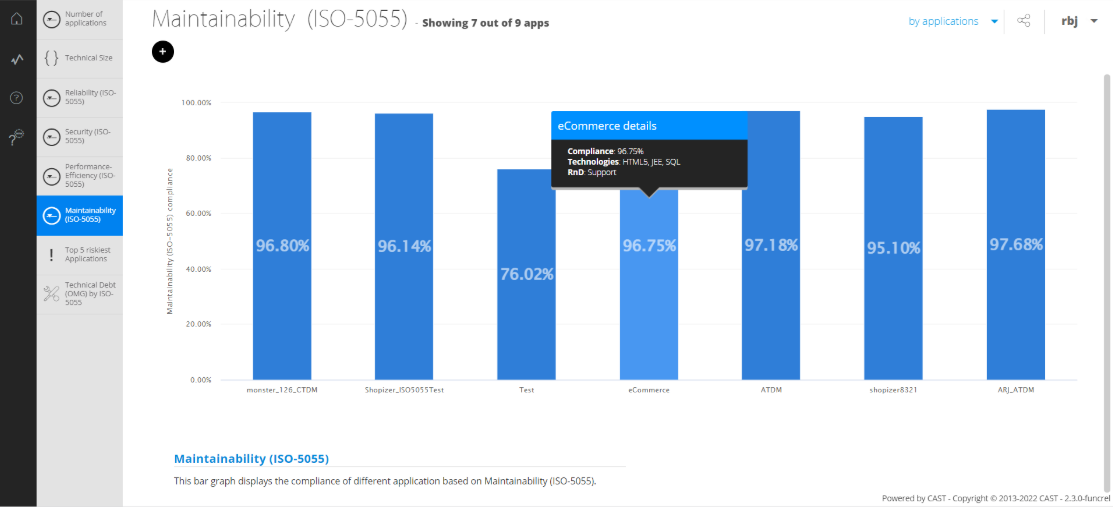
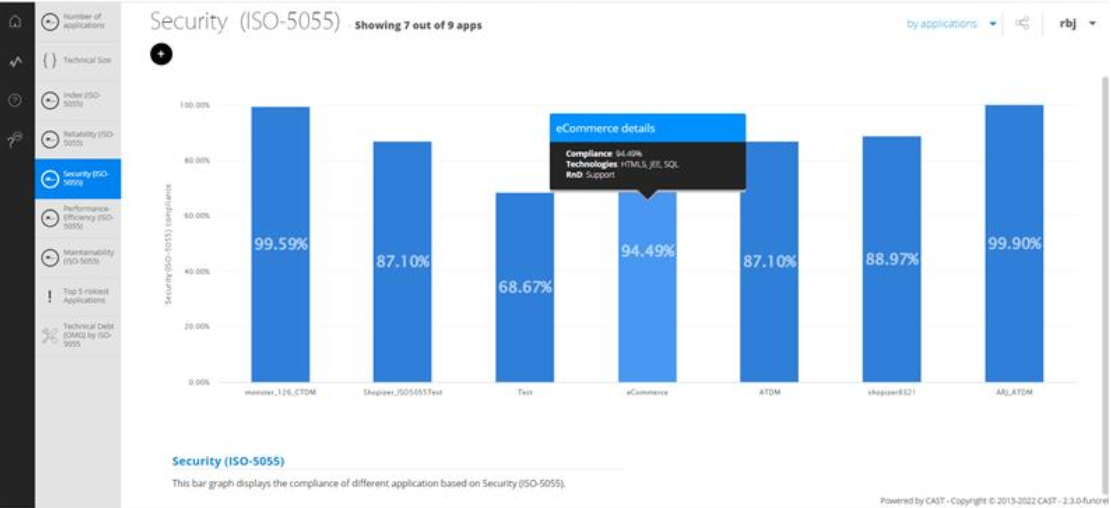
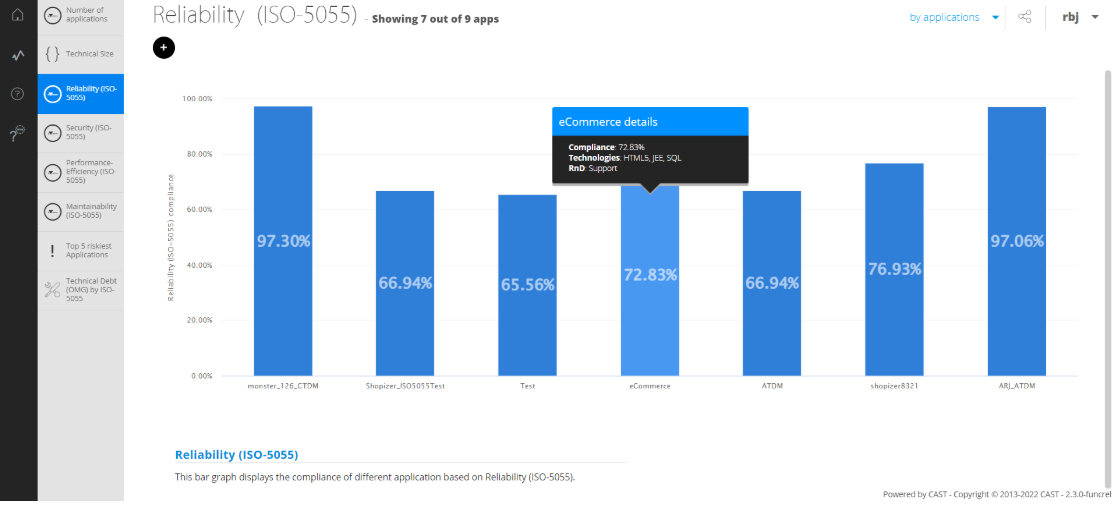
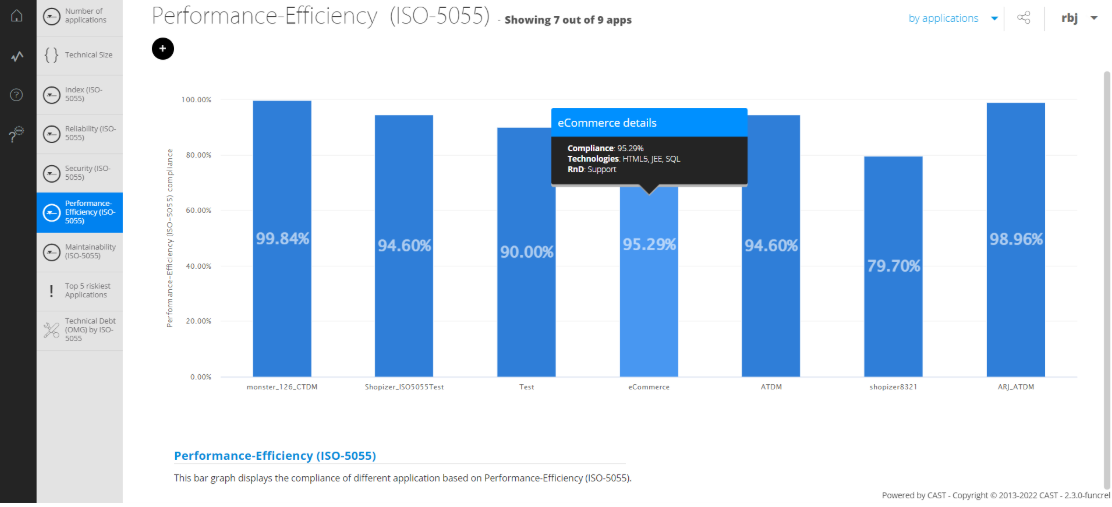
Each tile drills down to a bar graph comparing every application for that characteristic.
ISO 5055-SECURITY:
ISO 5055-RELIABILITY:
ISO 5055-PERFORMANCE-EFFICIENCY:
ISO 5055-MAINTAINABILITY: