Create a custom profile
When the default profiles don’t fit, build your own profile from a chosen set of roles and scope it to specific applications or domains.
Create the profile
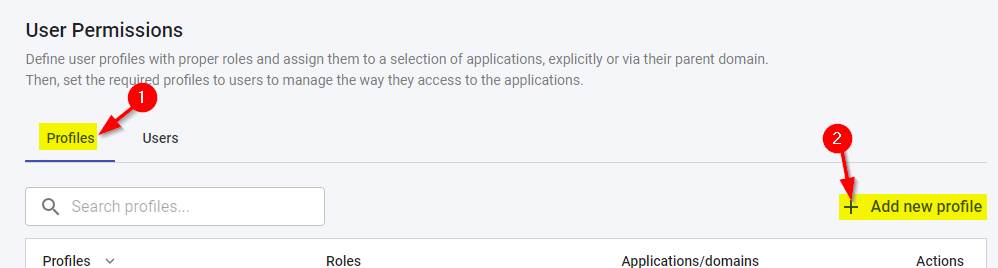
Use the Profiles tab > Add New Profile option:
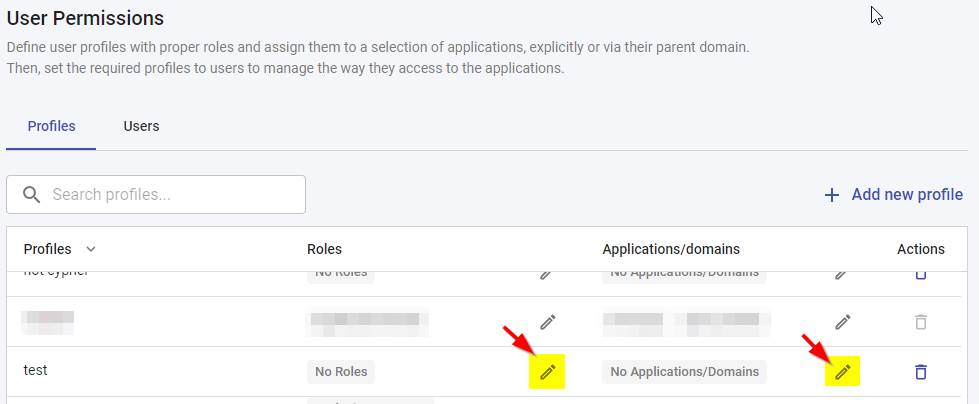
Then assign the roles and/or applications/domains you want the profile to grant:
If you assign the Administrator, Application Owner or Viewer Read Only roles, no other roles can be assigned: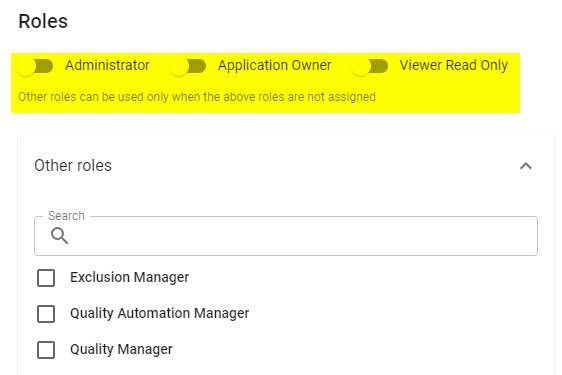
Scope access by application or domain
Within any profile (custom or predefined) you can restrict access to specific applications and/or domains. By default only the Admin profile has access to all applications and domains, so for other profiles you must explicitly grant access - otherwise users will not see any data.
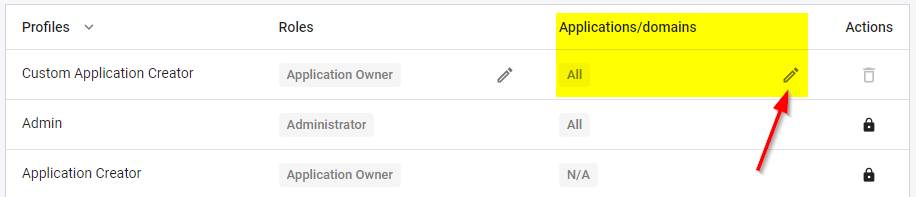
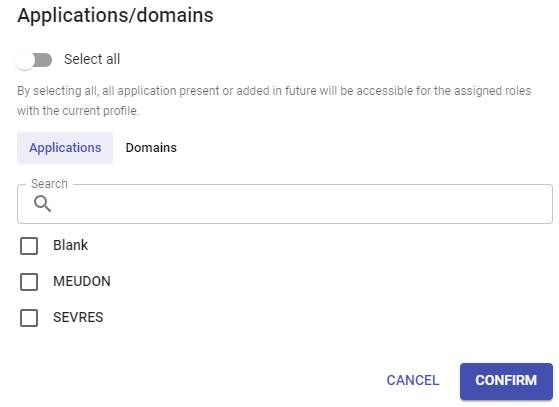
Grant access to applications without a domain
Applications that have not been assigned a domain are grouped under No Domain. Select No Domain in the Domains tab of the Applications/domains selector, where it is listed above the named domains, to grant the profile access to all of them:
- Everyone assigned the profile gains access to every application that has no domain, including applications onboarded or imported later.
- The choice is saved with the profile and is pre-selected when you reopen it.
Enabling Select all supersedes this choice, since it already grants access to every application.
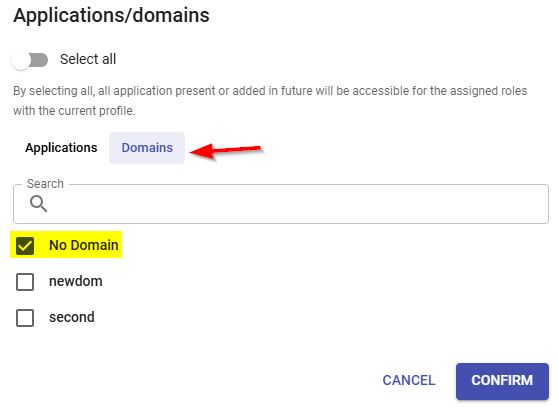
In releases before 3.6.8-funcrel, No Domain was only a display grouping and could not be selected: access to a domain-less application had to be granted by selecting each application individually, or by granting access to all applications. Existing profiles are unaffected by the change until an administrator selects No Domain.
Example: a profile that can add or import applications
To let users onboard new applications:
- Grant the
Application Ownerrole - Grant the
All applications/domainspermission
