Set your display language
Available in ≥ 3.6.4-funcrel
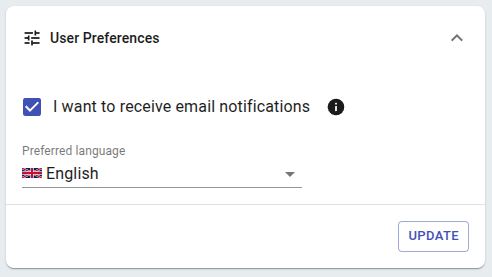
Select the display language to use for system-wide labels and menus. This applies to all components in the UI:
- Front-end management and admin settings
- “Viewer” UI related results consultation (excluding result data related to delivered source code)
- “Dashboard” UI related results consultation (excluding result data related to delivered source code)
Currently two languages are available out-of-the-box:
- English (default)
- Japanese
- CAST Imaging will attempt to detect the browser language setting on login - if a language is set in the browser that is supported by CAST Imaging (whether out of the box or via a custom language), this language will be used automatically on the login screen only. After login, English will always be used as the display language regardless of the browser language set. If a different language is required, users need to set that via Preferred Language option (above). If a language is detected in the browser that is not supported, CAST Imaging will display the login screen in English.
- Custom languages (not provided out of the box) can be added - see Configure a custom language display.
- Dates are always formatted using ISO standards (YYYY-MM-DD).
- Roles and profiles are not translated.
- Special characters (i.e. Japanese etc) are not permitted for use with tenants/domains and when naming new and existing applications.
- Result data (i.e. originating in delivered source code) is not translated to the chosen language.