Security Dashboard reports
Overview
The Security Dashboard generates reports on the fly, reached from the sidebar’s report icon. Two categories are available, both enabled out of the box and neither requiring configuration:
| Category | Answers | Output |
|---|---|---|
| Security Reports | How does this application measure against a security standard? | |
| Miscellaneous | Where have violations moved most between snapshots? |
This is not the same thing as Report Generator, which is a separate tool building documents from Microsoft Office templates you control, and which can report across a portfolio.
Security Reports
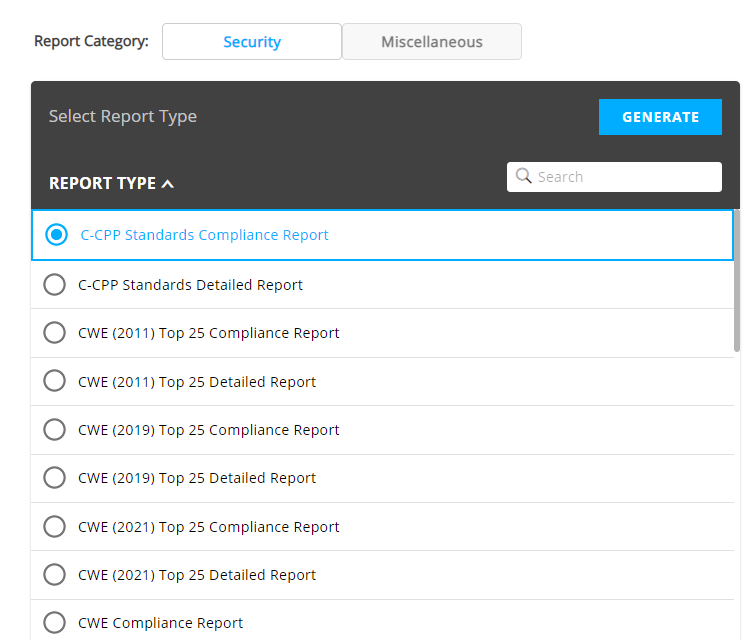
Reports against recognised standards, generated as PDF. Most come in two forms: a Compliance report summarising the position, and a Detailed report listing the violations behind it.
| Standard | Editions offered |
|---|---|
| ISO-5055 | Compliance and Detailed, plus variants carrying OMG Technical Debt |
| CWE | The full CWE set, and Top 25 for 2011, 2019, 2021, 2022 and 2023 |
| OWASP | 2013, 2017 and 2021 |
| OWASP API | 2019 and 2023 |
| OWASP Mobile | 2016 |
| PCI-DSS | V3.1, V3.2.1 and V4 |
| NIST | SP800-53R4 |
| STIG | V5 and V6 |
| C-CPP | Standards Compliance and Detailed |
The exact list is defined in the Security Dashboard’s configuration file and can be trimmed by an administrator - see Report categories.
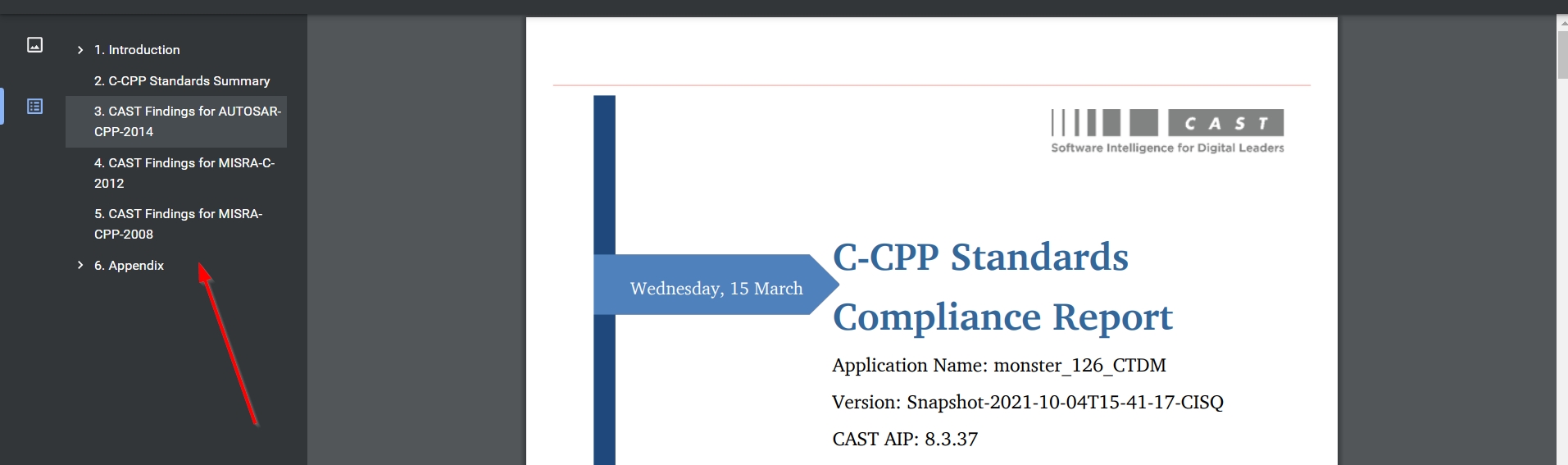
The PDFs carry chapter bookmarks for navigation:
The default list of reports can be customized by an administrator - see Dashboards administration.
Miscellaneous reports
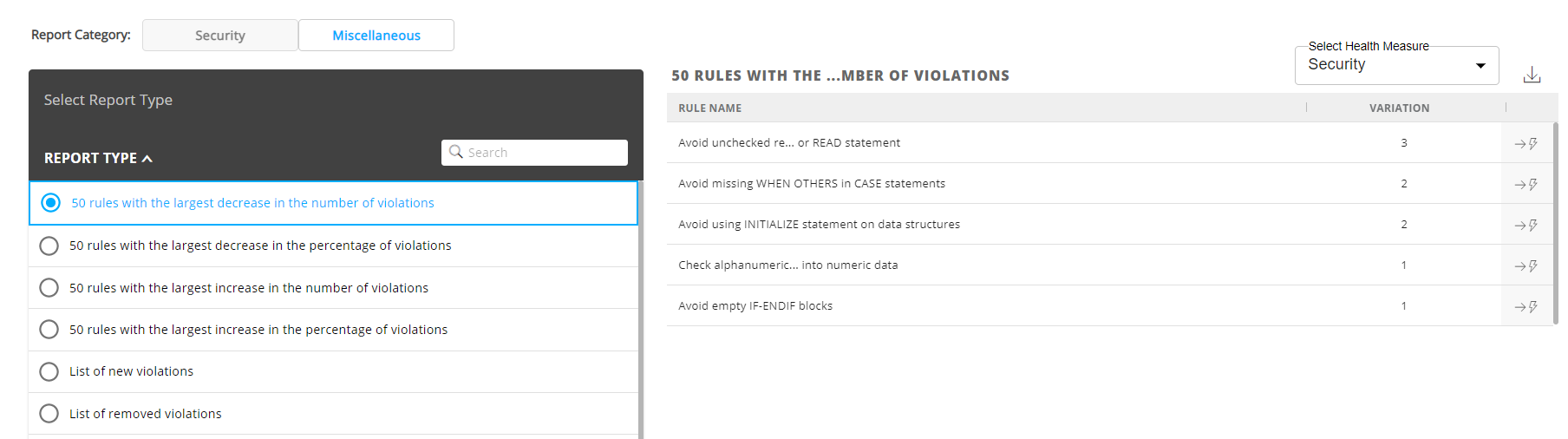
These show where the biggest changes in violations between snapshots have occurred. The options - filtering on a Health Measure, downloading, the critical flag, and drilling through to source code or to Application investigation - work as described for the Engineering Dashboard’s reports.
Report language
Reports can be generated in German, Italian, Spanish, French and Chinese. Set the dashboard language first via Change Language in the user menu, then generate the report.