Browse the project structure
Overview
This guide shows you how to explore an application by its physical organisation. This “tailored” view is useful when you already know the codebase layout and want to navigate from a file to the objects it contains.
Step 1 - Open the Project Structure scope
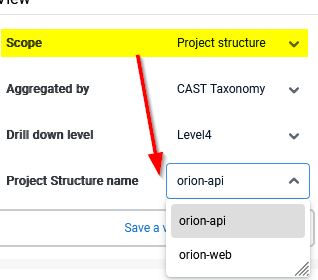
In the left panel, select the Project Structure scope.
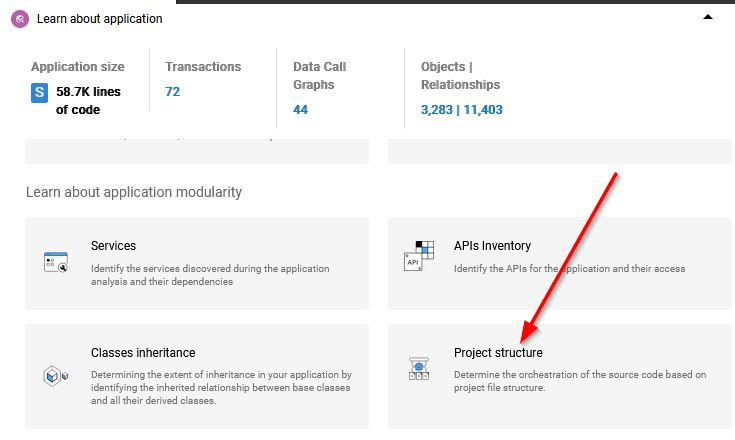
Alternatively, use the “tailored” view tile to access the scope:
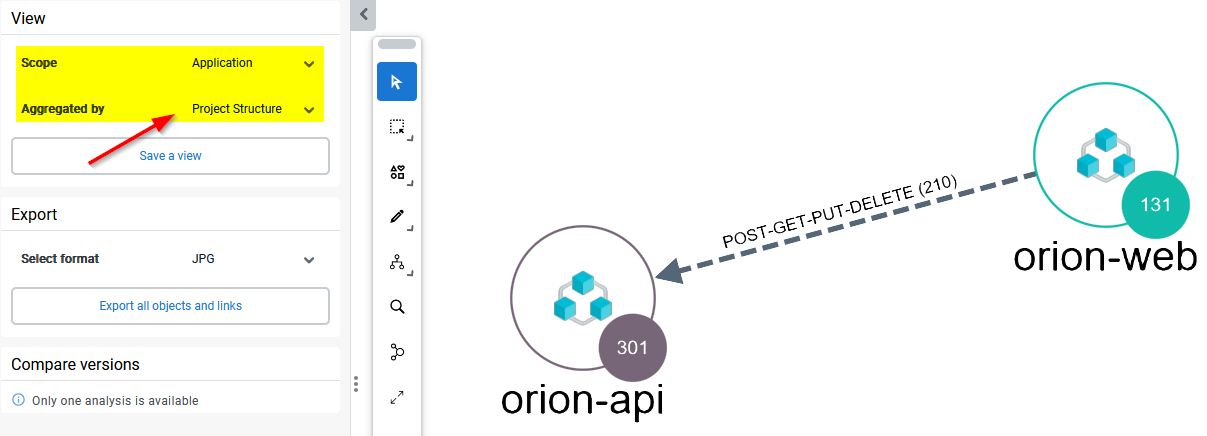
You can also organise the output per Application and per Project Structure:
If the Project Structure entries are greyed out then the application has not been analyzed with the required release of the com.castsoftware.architecture extension.
Step 2 - Open a file to see its objects
Each project file identified during analysis - for example a Visual Studio .csproj file or a Maven pom.xml file - is represented by a node in this scope.
Drill into a file node to reveal the objects defined within it. From there you can inspect an object’s properties and view its source code.
You can find more technical details about the project files that are supported in the com.castsoftware.architecure extension documentation.