Find start and end points
Identify the entry (start) and exit (end) points of a transaction’s call graph
Overview
Transactions run from a start point (an entry such as an interface, batch, or web UI element) to one or more end points (an output such as a table, file, or API call). CAST Imaging marks these objects so you can find where a flow begins and ends.
When to use this
Use this when you need to know where a transaction enters and leaves the application - for example, to find the data store a flow ultimately writes to, or the entry point that triggers it.
How to find them
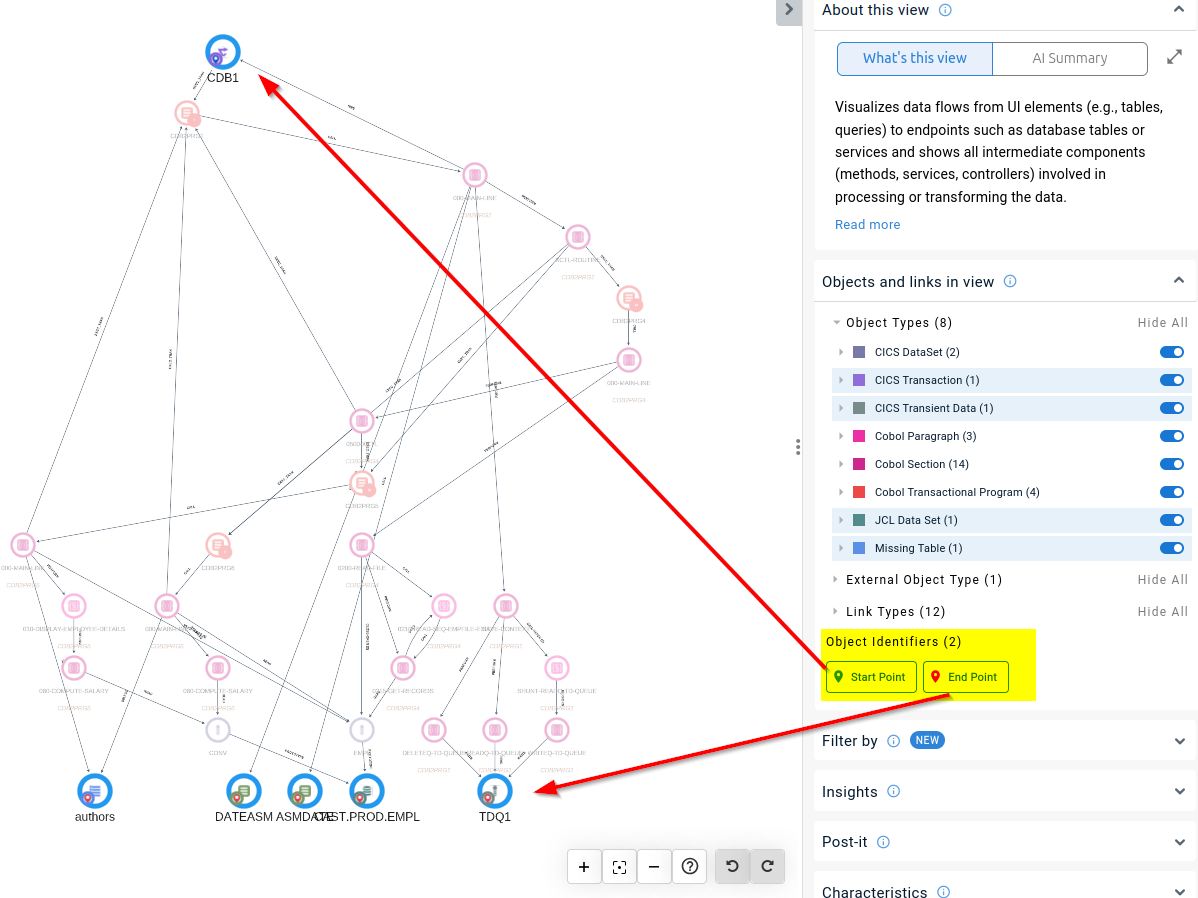
- Identifier badges. Start point and end point objects are flagged with interactive badges (when working at Object level only). In the right panel, the Object Identifiers section lists these categories; clicking a badge highlights all matching objects in the view. The same badges appear on the nodes in the graph.
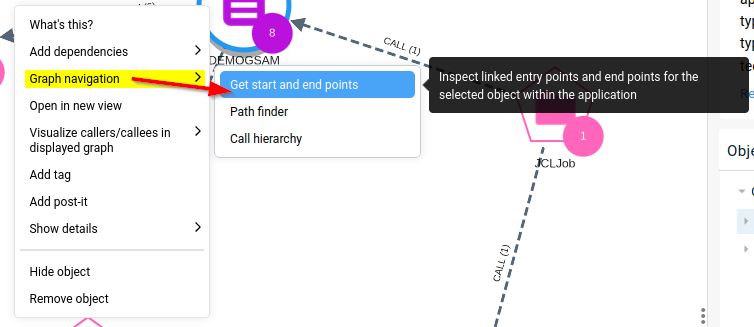
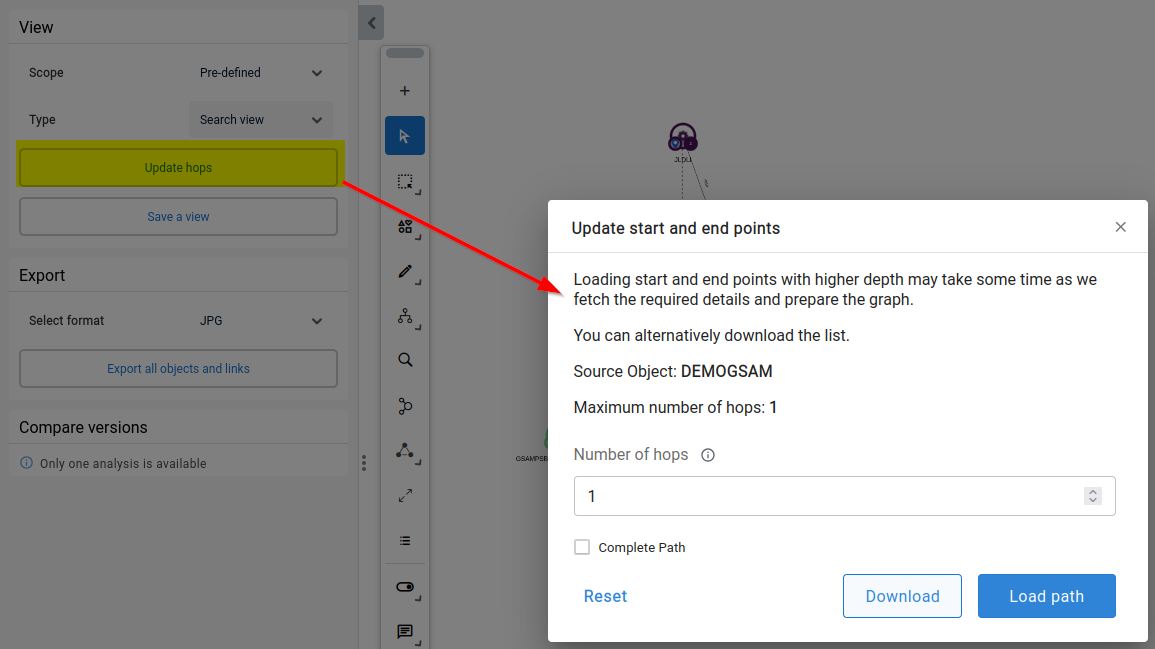
- Get start and end points. Use the Get start and end points option, then the Transaction details / Update start and end points control to set the depth (Update Hops) shown between the source object and the end points - see Graph options:
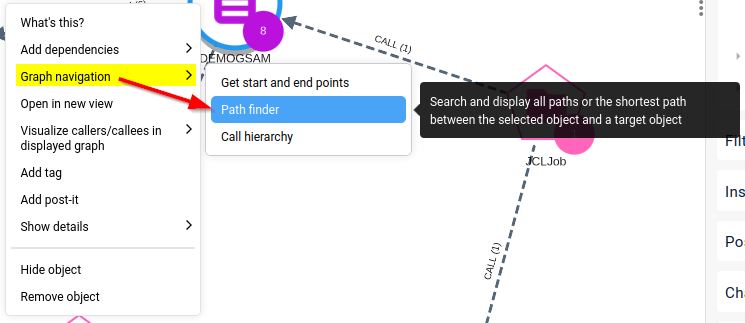
- From an object. Right-click an object and use Graph navigation > Path Finder: its dialog offers Start Points and End Points as path types, so you can load the paths from an object to the transaction entry or exit. See Trace a path:
Related
- Explore a transaction - select and navigate a full transaction.
- Trace a path - find paths to start and end points from a chosen object.
- Objects and links in the view - the Object Identifiers badge reference.