Callers and callees
See what calls a given object and what it calls, directly in the view
Overview
For any object you can reveal its callers (the objects that call it) and its callees (the objects it calls). This is the quickest way to understand an object’s immediate neighbourhood without leaving the current view.
When to use this
Use this when you have an object in front of you and want to see what depends on it and what it depends on. If instead you want the full chain of calls between two specific objects, use Trace a path (Path Finder).
How to add callers and callees
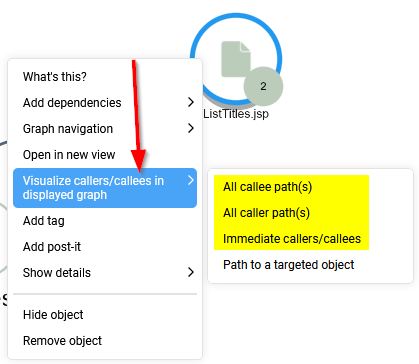
- From the view. Ensure you are working at object-level. Right-click an object and choose Visualize callers/callees in displayed graph to add its callers and callees to the current graph. See Contextual menu options.
- By drilling down. In the left panel, set the drill-down mode to Display children with caller/callees; you can then Expand all / Collapse all from the Graph options.
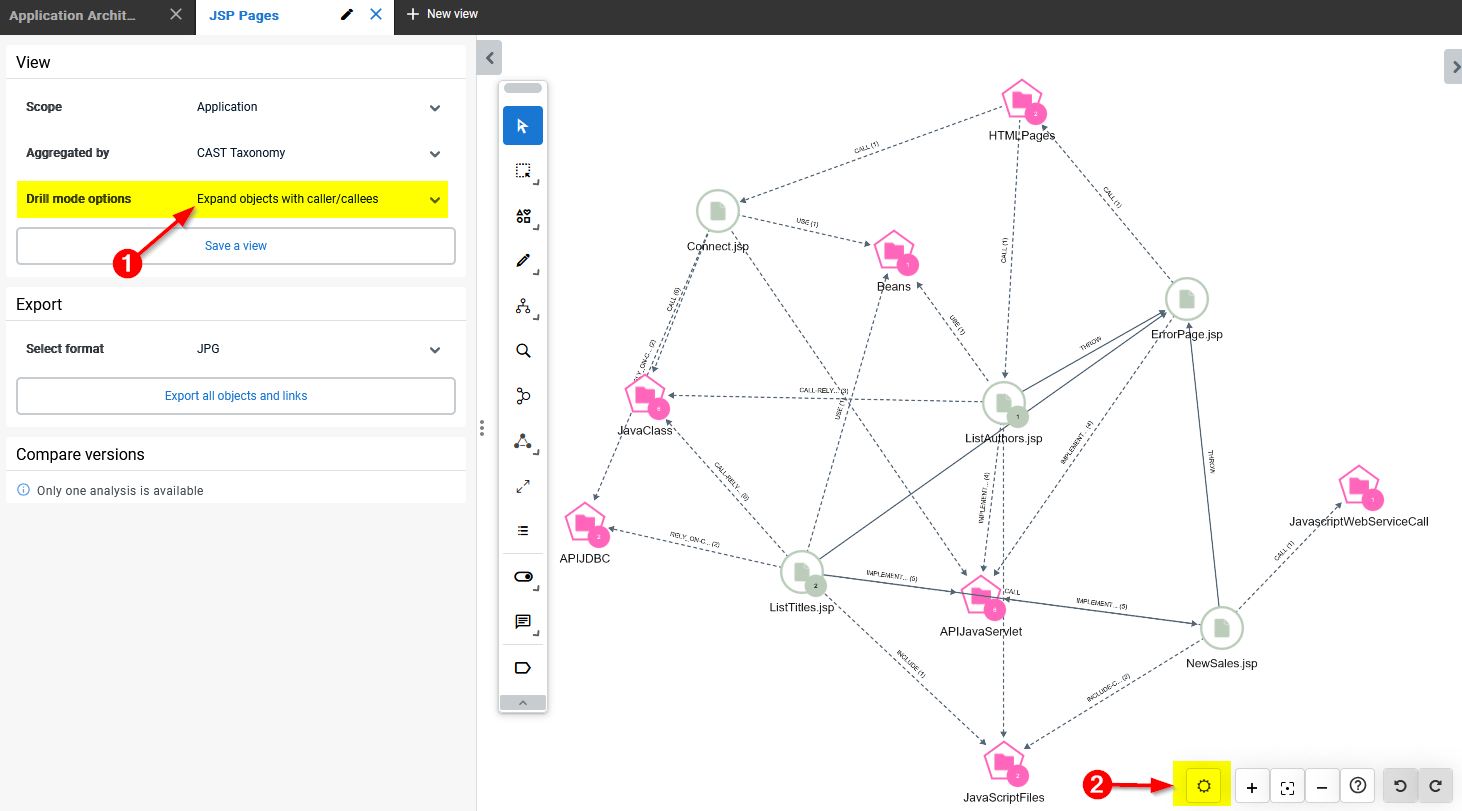
Adding callers and callees is one of the actions covered by undo/redo, so you can step back if a graph becomes too large.
Related
- Trace a path - find all paths (or the shortest path) between two objects; its dialog also offers Callers and Callees as path types.
- Highlight dependencies - add an object’s direct and indirect dependencies to the view.
- Find start and end points - locate the entry and exit points of transactions.