Explore technology and language distribution
Overview
This guide shows you how to find out which technologies, languages, and frameworks make up an application, and how much code each one represents. This is a useful first step when scoping a migration, an upgrade, or a quality review.
Step 1 - Review the tailored views on the Welcome page
The Welcome page presents a set of tailored views whose content adapts to the technologies in your application. The Learn about application section links directly to starting points such as the third-party frameworks used by the application and its database information. Use these links to jump straight to the relevant view.
Step 2 - Read the technologies and lines of code
The application summary at the top of the Welcome page lists the application size in lines of code (LOC). The application properties identify the technologies present and the volume of code associated with each, giving you a sense of where the bulk of the application sits.
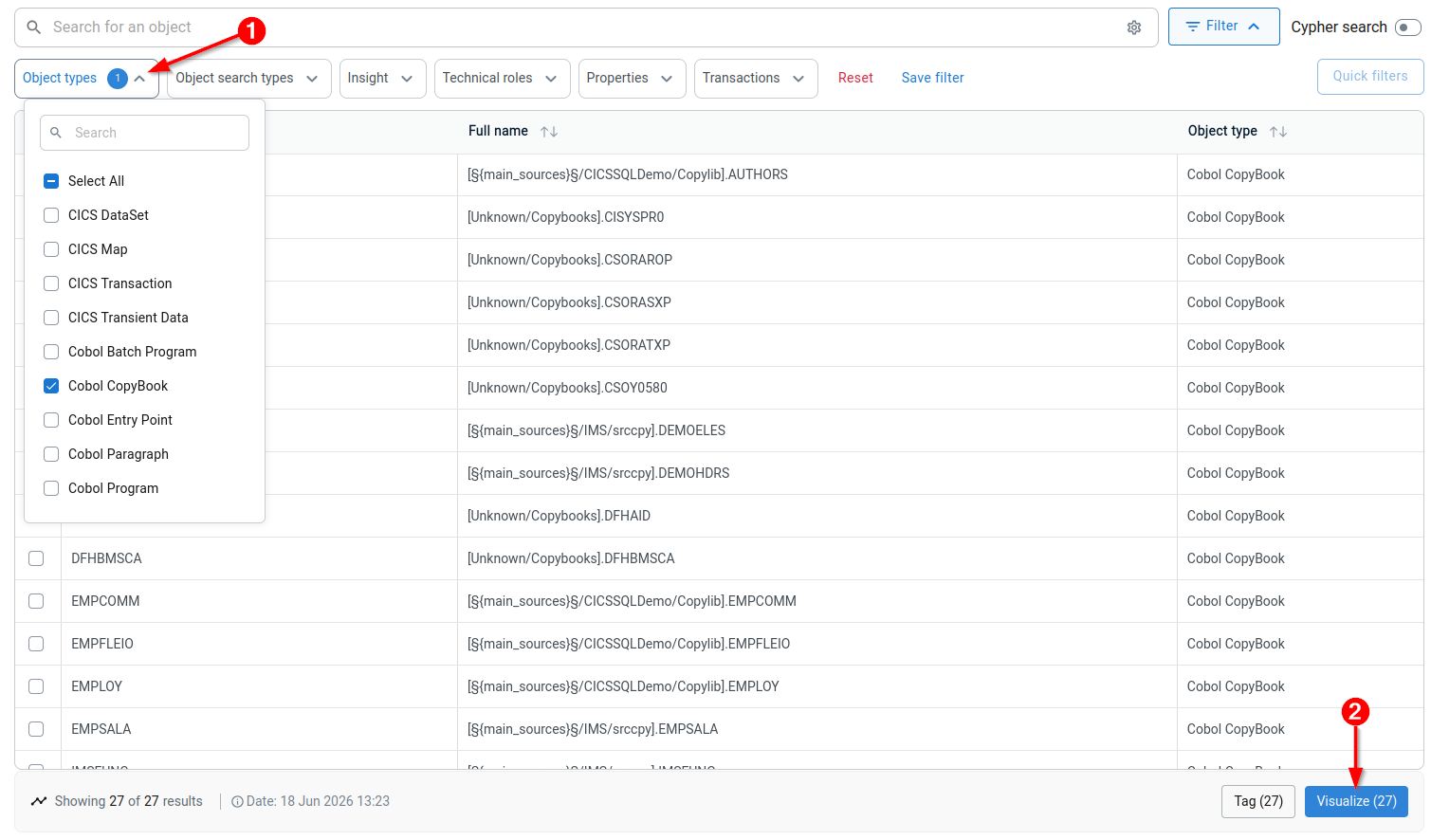
Step 3 - Find objects of a specific technology
To list every object belonging to a particular language or framework, use the global search and apply a technology filter. This lets you isolate, for example, all Java classes, COBOL copybooks,all SQL tables etc. etc. across the whole application: