Explain Object Context with AI
Get an AI-driven explanation of an object together with its immediate callers and callees
Overview
This option provides an AI-driven explanation of the code in the object within its context.
How does it work?
- User triggers to explain object context: the user initiates explanation generation from the user interface.
- System share the object + callers/callees code snippet with LLM: the system shares:
- Source code snippet for object and first-level callers/callee objects
- Link type between object and first-level callers/callee objects
- LLM reads code and generates an object-level explanation: use the LLM to fetch an explanation for the object source code shared in simple natural language
- Display explanation for the user
Key points:
- The source code for object and its first level of callers and callees involved is shared to the LLM.
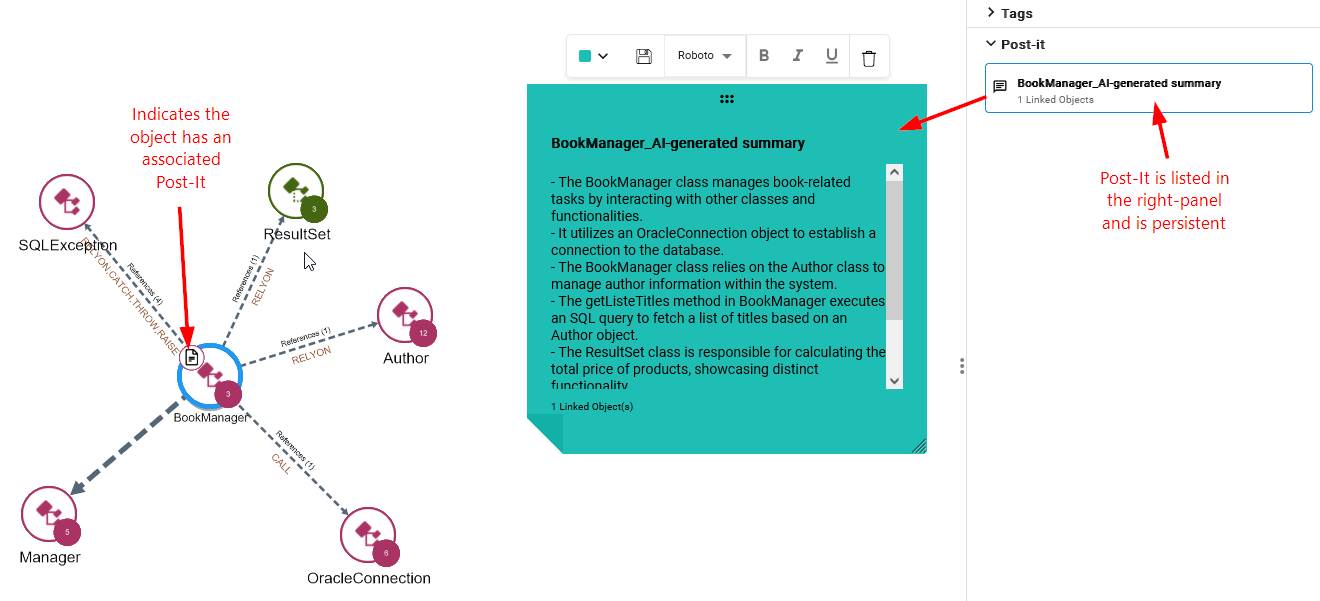
- The explanation is generated as a Post-It that can be saved along with the view for reference.
What does it do?
Enables right-click contextual menu options when consulting results at Object level:
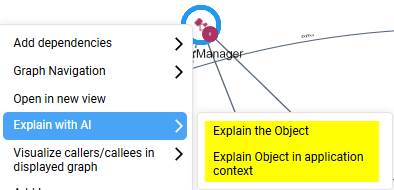
The “Explain object in application context” option will do two things:
- Open the object in a new tab and display all its immediate caller and callee objects
- Provide an explanation of the object based on its context within the application and store that explanation in a Post-It: