Map database access patterns
Overview
This guide shows you how to find every object that accesses a given database table and trace the chain back to the transactions that touch it. This is useful when you need to understand how data is shared across an application before planning a database change or migration.
Step 1 - Open the Data Call Graph scope
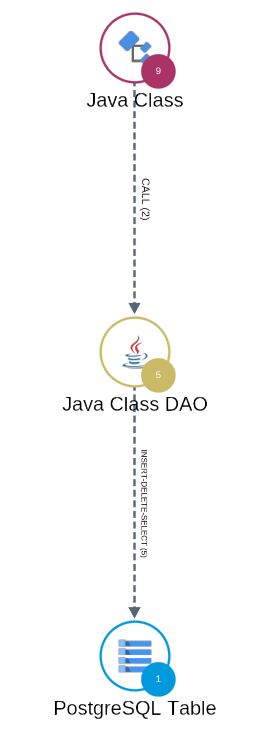
In the left panel, select the Data Call Graph scope. A Data Call Graph is a vertical call graph that runs from an output - such as a table - back to the inputs that feed it such as a Java Class.
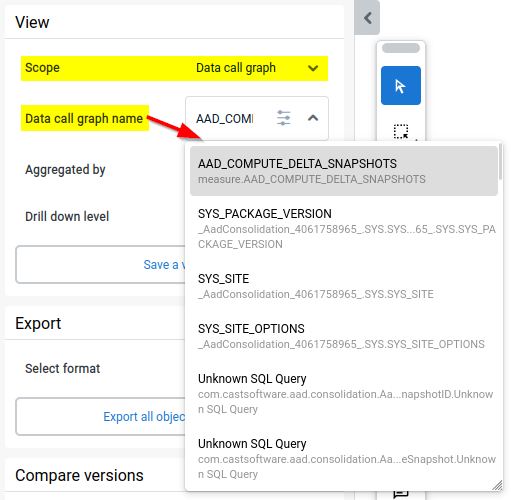
Step 2 - Select a call graph
Use the drop down list or the search option in the scope to find the database table you want to investigate, and select its Data Call Graph.
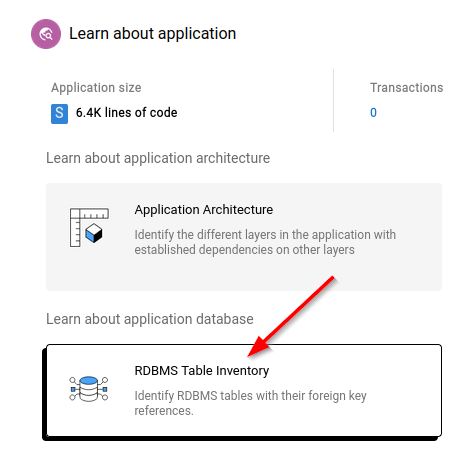
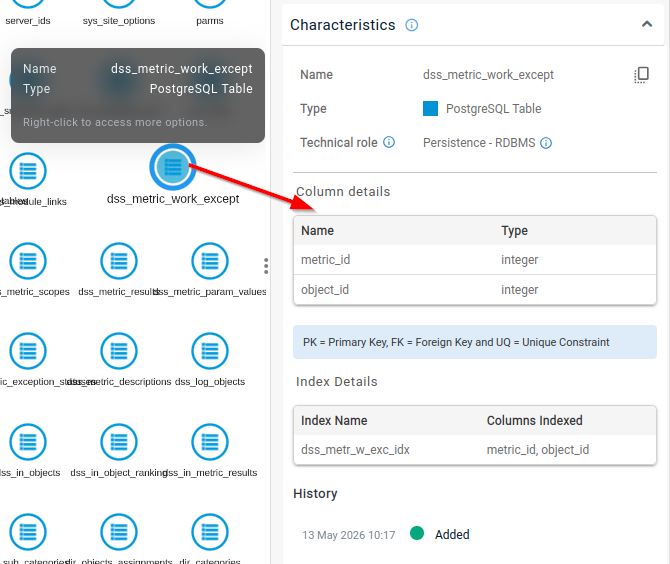
To explore the tables themselves and their columns, apply the RDBMS table inventory perspective to the Application scope instead.
Step 3 - Read the call graph
The view shows the objects that access the selected table, organised as a call graph. This reveals the full chain - which transactions reach the table, and through which objects - so you can see exactly how the data is read or written.
Alternative - tailored views on the Welcome page
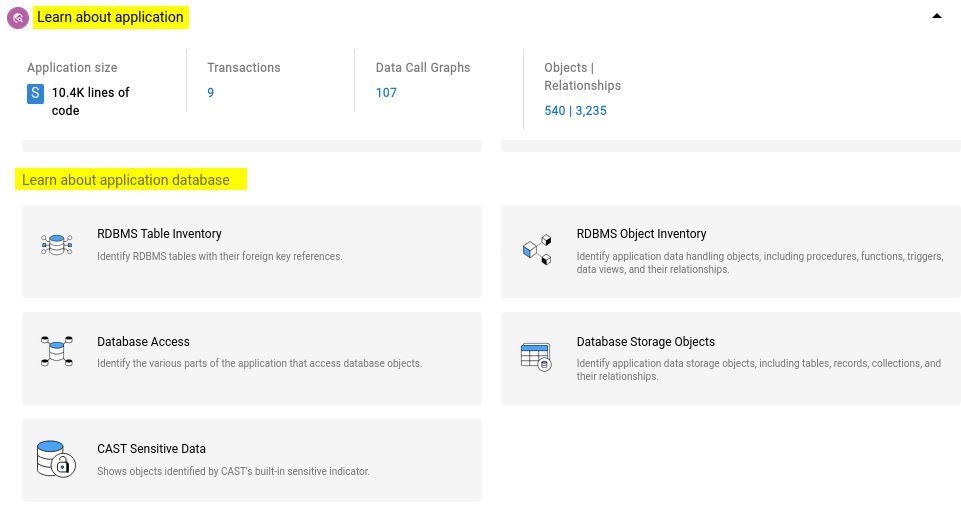
The Welcome page offers several tailored views that give you a ready-made starting point for database objects, without building a Data Call Graph yourself. Click a view to open it in the viewer. The views available depend on the content of your application:
- RDBMS Table Inventory - RDBMS tables with their foreign key references.
- RDBMS Object Inventory - application data handling objects, including procedures, functions, triggers, and data views, and their relationships.
- Database Access - application data handling objects, including procedures, functions, triggers, and data views, and their relationships.
- Database Storage Objects - application data handling objects, including procedures, functions, triggers, and data views, and their relationships.