Save and reload a view
Preserve a customized canvas as a named view and reload or share it later
Overview
When you have arranged the canvas to suit your investigation, you can save it as a named view and return to it later. A saved view preserves the current scope, level, the objects that are visible, any applied filters, and any custom aggregations or annotations you have added. Saved views are stored on the server, so any user with access to the same application in the same tenant can open them.
How do I save a view?
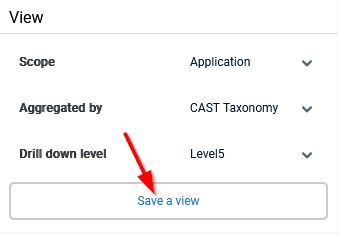
Use the Save a view option in the left panel, give the view a name and confirm:
How do I reload or delete a view?
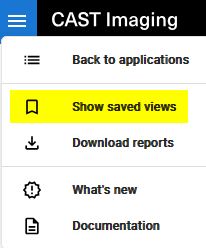
Open Show saved views in the left panel, then select a view to reload it or use the delete option next to a view to remove it.
- Saved views created from an object level display support the Add objects action, allowing you to add further objects to the saved view. Saved views are also included in the Compare feature.
- Saved views can also be created and managed programmatically using the API.