Add custom links between objects
Overview
Static analysis cannot always detect every relationship in an application - for example a runtime HTTP call between two services, a dependency on an external system, or an integration point that is only described in design documents. You can record these relationships yourself by adding custom links between objects on the canvas.
This is most often used together with custom object types: you add a concept node to represent the undetected entity, then link it to the existing objects it relates to.
How do I add a custom link?
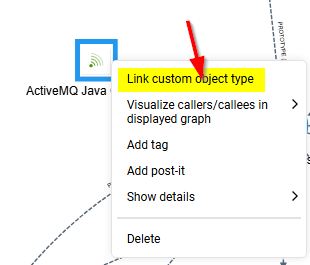
Right-click an object at object level to open the contextual menu and use the linking options - Link custom object type to connect a concept node to the selected object.
Custom links are part of the canvas state, so save the view to keep them for later sessions and to share them with your team.