Generate and use an API key
Overview
An API key lets tools and scripts access CAST Imaging Express without your login credentials: the REST API, the MCP Server, the CLI, the Docker analyzer and the Maven plugin all authenticate with one. This page explains how to create, use and revoke your API keys.
Create an API key
-
Click your user profile icon in the upper right corner and choose Profile settings.
-
Click API key management.
-
Click Create new key.
-
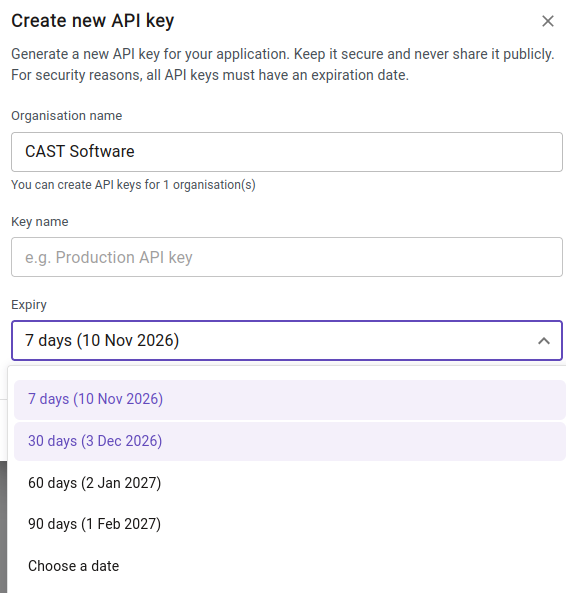
In Create new API key, fill in:
- Organisation name: the organization the key gives access to. A key works only for that organization; if you belong to several, create a key for each one you need.
- Key name: a name that says where you will use the key, for example
github-actionsormcp-vscode. - Expiry: 7, 30, 60 or 90 days, or Choose a date. Every key must have an expiry date.
-
Create the key, then copy it and store it somewhere safe, such as a password manager or your CI/CD platform’s secret store.
The key is displayed only once. If you lose it, revoke it and create a new one.
You can have several keys at once. Creating a separate key for each tool or pipeline means you can revoke one without breaking the others.
Manage your keys
API key management lists your keys with their name, creation date, a masked value, their Status and their Validity:
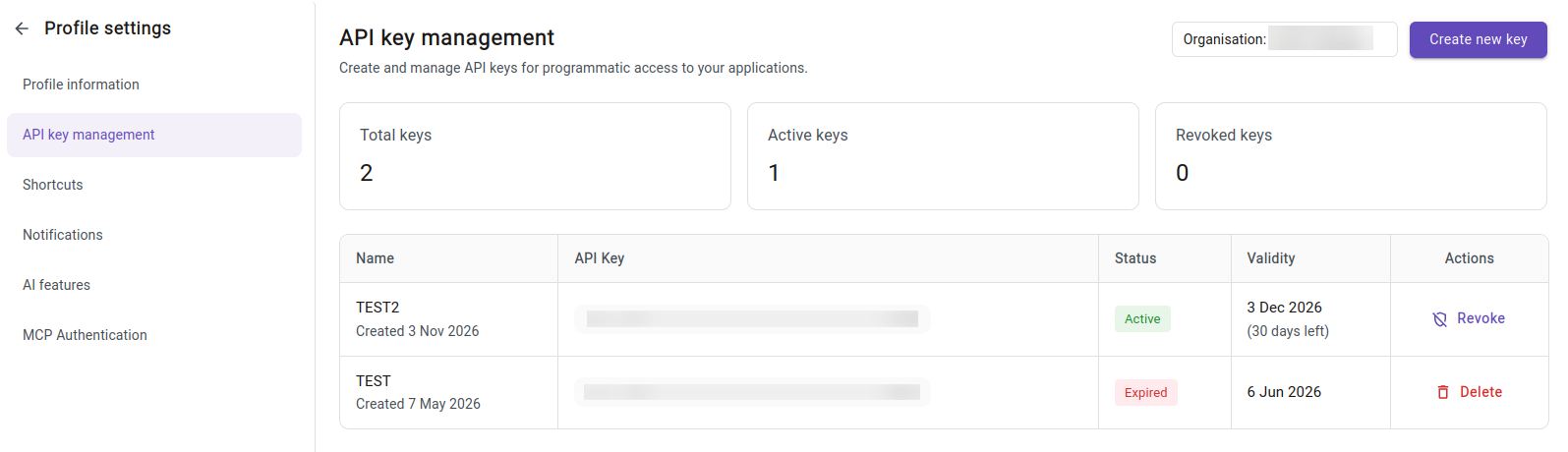
- Active keys work until the expiry date shown in Validity. Create a replacement before a key expires and update the tools that use it.
- Expired keys no longer work.
- Click Revoke to stop an active key working immediately, for example when it may have been exposed or is no longer needed.
- Click Delete to remove a key that is no longer active from the list.
The totals at the top of the page count all, active and revoked keys.
Use an API key
| Where | How the key is passed |
|---|---|
| REST API | X-API-KEY request header. If you belong to several organizations, also send the X-TENANT-ID header |
| MCP Server | x-api-key entry in your mcp.json file |
| CLI | -ak or --api-key option |
| Docker analyzer | -ak option of docker run |
| Maven plugin | apiKey configuration parameter |
For example, with curl:
$ curl -H "X-API-KEY: <your-api-key>" https://castimaging.io/rest/<endpoint>
Keep your keys safe
- Never share a key or commit it to version control. In CI/CD pipelines, store it as a secret variable.
- Revoke a key as soon as you suspect it has been exposed, then create a new one.
- Revoke keys you no longer use.