Finding data sensitive objects
Overview
Database related technologies allow the storage of data, and some of this data may be sensitive in nature, for example, confidential information such as:
- Salary
- Bonus
- First Name
- Last Name
- Contact details
- etc.
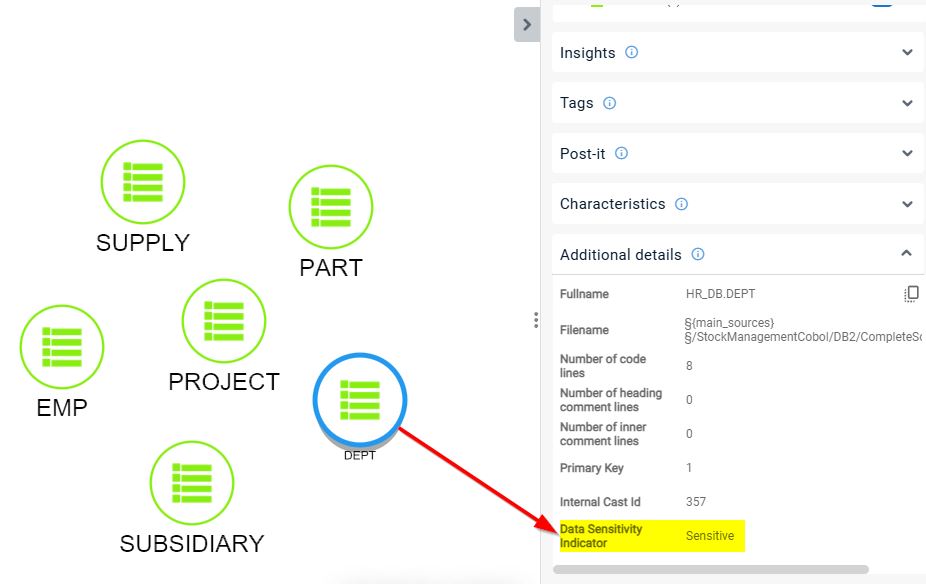
When analyzing this type of data, CAST has the ability to tag a resulting object with a specific sensitivity level indicator, and this indicator can then be seen and exploited in the analysis results.
You can find out more detailed information about how CAST Imaging detects data sensitivity indicators during an analysis in Data Sensitivity.
How do I view objects with sensitive data?
By far the quickest and easiest way to do this is to use the tiles on the Overview (Welcome) page:
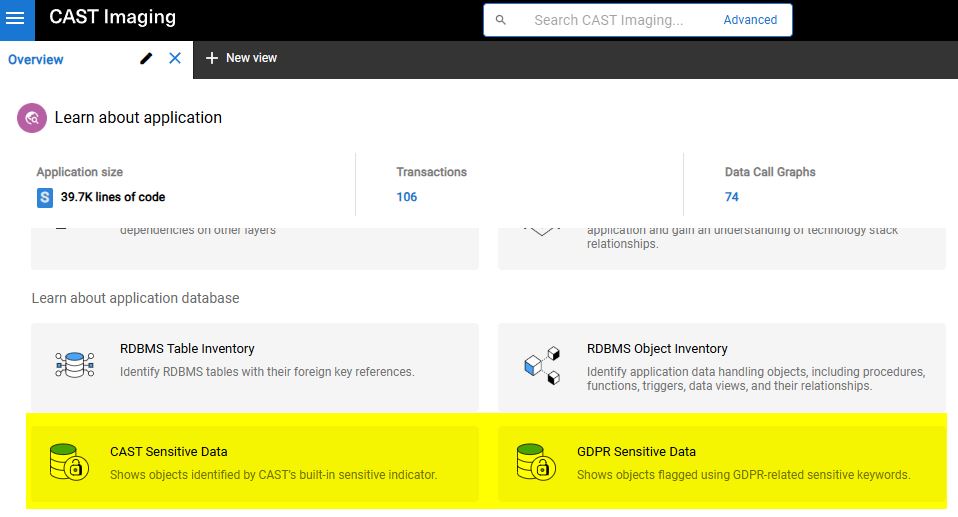
There are various tiles available:
- CAST Sensitive Data: Shows objects identified by CAST’s built-in sensitive indicator.
- GDPR Sensitive Data: Shows objects flagged using GDPR-related sensitive keywords.
- PCI-DSS Sensitive Data: Shows objects flagged using PCI-DSS sensitive keywords.
- Custom Sensitive Data: Shows objects flagged using custom sensitive keywords.
Clicking a tile will open a new tab showing all objects tagged with this specific type of sensitivity indicator:
Can I filter different sensitivity indicator levels?
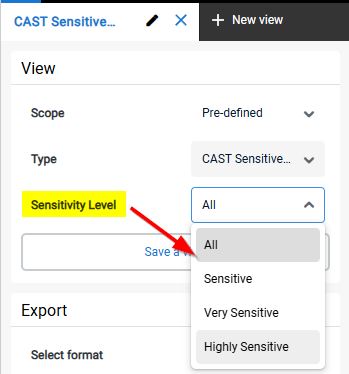
Use the Sensitivity Level drop down - by default all levels are shown in the view: