CAST Engineering Dashboard - Quality rule - Grade may vary between snapshots even when violation status is unchanged
Purpose (problem description)
This page will help you in investigating issue with QR grade computation between 2 snapshots.
Observed in CAST Version
| 8.3 | ✅ |
|---|
Observed in RDBMS
| RDBMS | Yes/No |
|---|---|
| CSS | ✅ |
Step by Step scenario
- Run analysis+snapshot
- Launch Dashboard
- Check QR grade for any rule
- Compare the grade with previous snapshot and observe that grade is decreased
Action Plan
Perform the below actions
If you observe that QR grade is decreased/increased compare to previous snapshot then first calculate the QR grade manually using below method:
- Please note that QR grade depends on both total check as well as failed check. So any change in total check or failed check will change your QR grade between snapshots.
Formula to compute the QR grade:
(Total check- Failed check/ Total check) *100
Let's see an example of grade calculation for rule - **The exception Exception should never been thrown.**
We can see that in previous run QR grade was 2.1 and in current run it is 2.08
**Previous:**

**Current:**
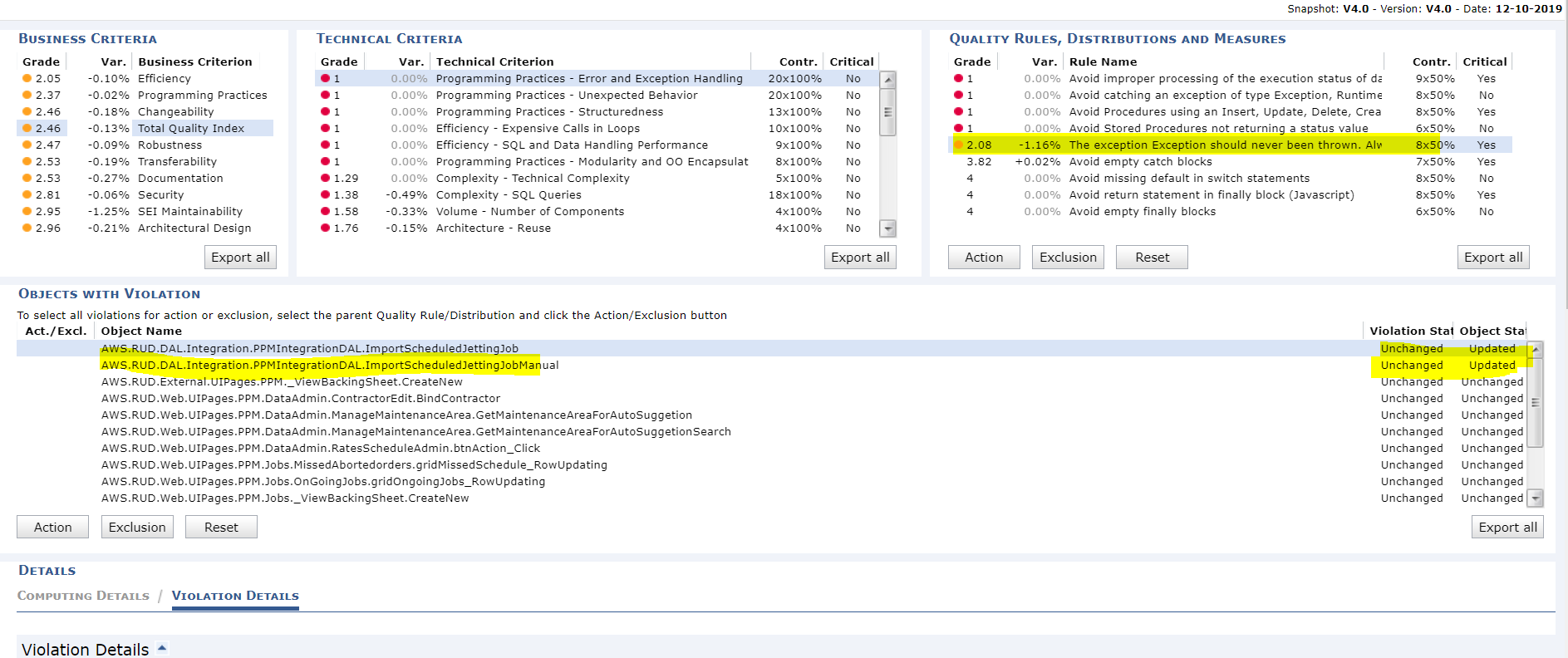
And below is the total check and failed check details of this rule for 2 snapshots:
**Previous**
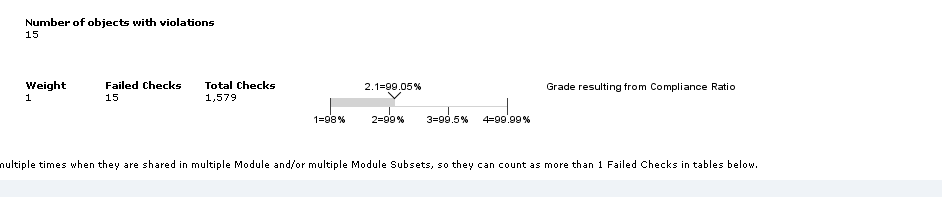
**Current**

As we can see Total check is changed for this particular rule between 2 snapshots( can be due to source code change). Let's calculate the grade now using formula:
Current run:
```java
Grade= ( 1559-15/1559)*100
= 99.037 =99.04
In screenshot we can see 99.04 is equal to grade 2.08

- If the above steps do not solve your issue contact CAST Technical Support. with the following relevant input.
Relevant input
- CAST Support Tool (CST) - alias Sherlock export with the following options CAST Bases Checker, Export Logs, Export Configuration files, **Export Computer Environment,**Export CAST Bases with Management Base, Knowledge Base, Central base
- Screenshot of dashboard showing difference in grade between snapshots.
Notes/comments
Ticket # 20810
Related Pages