CAST Management Studio - Information - How to customize the quality rule control naming convention - prefix case and character set control
Purpose
Cast convention of the quality rule “Control naming convention - prefix, case and character set control” should respect naming conventions described in the following official page: Controls naming convention - prefix, case and character set control
Applicable in CAST Version
| Release | Yes/No |
|---|---|
| 8.3.x | ✅ |
| 8.2.x | ✅ |
| 8.1.x | ✅ |
| 8.0.x | ✅ |
| 7.3.x | ✅ |
Applicable RDBMS
| RDBMS | Yes/No |
|---|---|
| Oracle Server | ✅ |
| Microsoft SQL Server | ✅ |
| CSS2 | ✅ |
Details
If you want to use other conventions, you can parameterize this, by doing the following steps in CAST- MS:
- Double click on the assessment model → new tab will appear.
- Choose Quality model tab.
- Choose Quality rules tab.

- In the search box, search for the quality rule “Control naming convention - prefix, case and character set control” → new tab will appear.
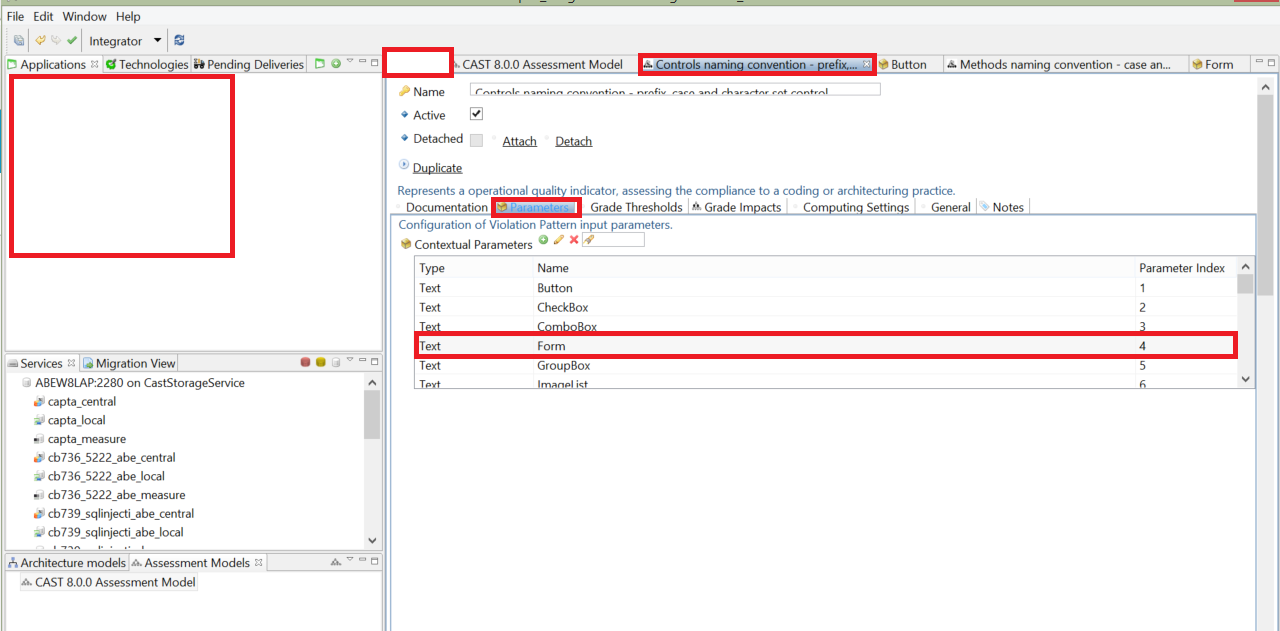
- Chose Parameters tab.
- Double click on one contextual parameter
- In contextual Value Overriding click on add.
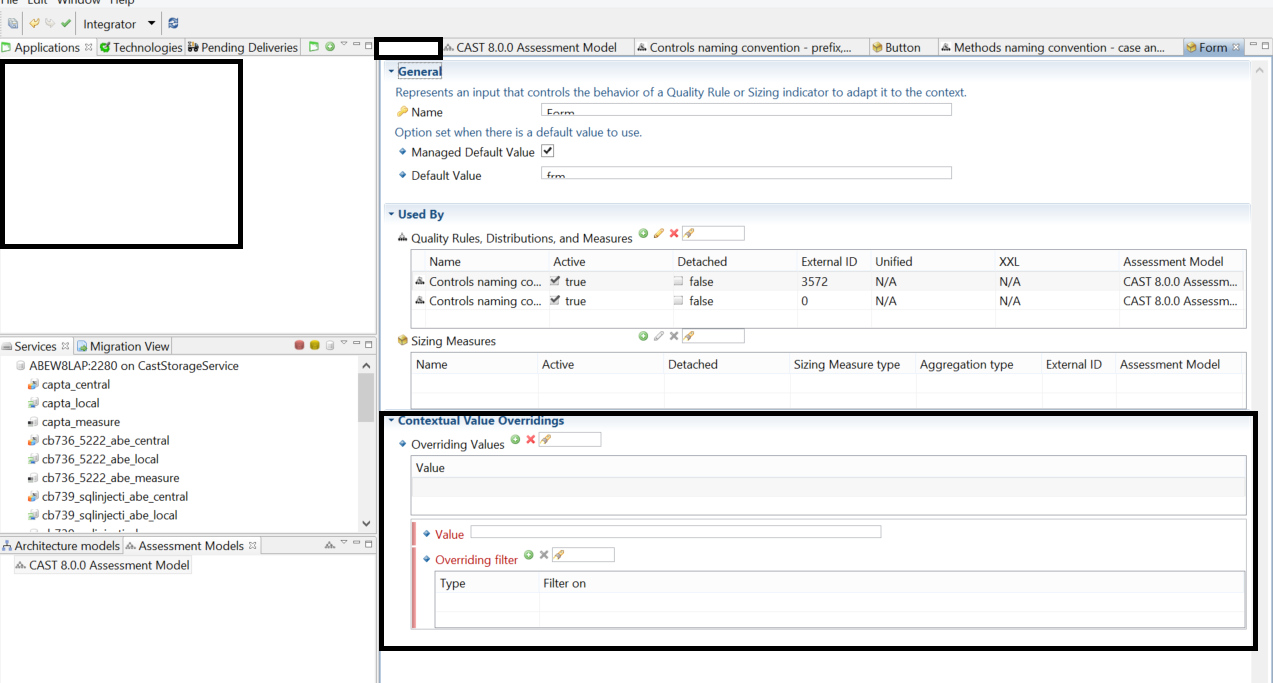
- Choose the value, technology and object type filter.
Notes/comments
Related Pages
Ticket Zendesck 5677